As an experienced instrument pilot, you might know everything there is to know about holds… but when was the last time you flew one in real-world IFR flying?
Are you confident you would be able to fly a hold to checkride standards, taking advantage of all the help your avionics offer?
(Please consider reading Mastering Holding Patterns before this article.)
Flying timed holds
In this example we are flying the Hold-in-lieu-of-Procedure-Turn (HILPT) that is part of the VOR5 approach at N82.
Even if you are flying the hold (and the approach) using the VOR signal as your source of electronic navigation, it is in general a good idea to also refer to your GPS for situational awareness.
To do that, load the procedure in the flight plan and activate the hold. Then, switch to NAV page 1.
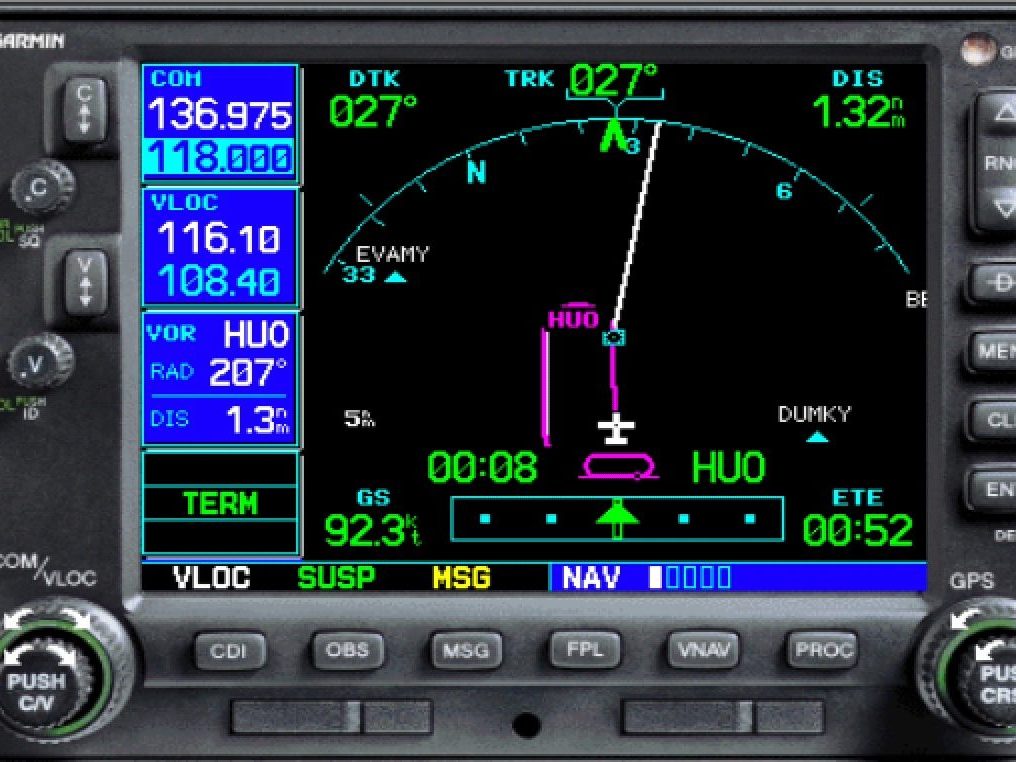
You can tell you are on page 1 by the indicator “NAV ▮▯▯▯▯” at the bottom of the screen.
While you fly either the inbound or the outbound leg, the unit will time the leg for you! This suppresses the need to use a stopwatch manually.
In the figure, the green “00:08” text is a count-up stopwatch showing the time you spent in that leg.
At the same time, the ETE field at the bottom right will show time inbound to the fix.
In the figure above, you are flying the inbound leg. When flying inbound, the ETE counter at the bottom works well as a residual time inbound counter.
At any point on the leg inbound, if the sum of the stopwatch and the ETE is 1 minute, you need no corrections.
In the picture, 00:08 and 00:52 sums up to 1 minute. No corrections are needed.
Timing corrections
If the ETE indicated at the instant when you complete the turn inbound is longer than 1 minute, you will need to adjust your outbound leg and make it shorter.
For example, if the ETE were 1:07, then you should shorten your outbound leg by 7 seconds.
If your last leg inbound was 1 minute long, it will now have to be 53 seconds.
If the ETE indicated when you complete the turn inbound is shorter than 1 minute, your outbound leg was too long and you’ll have to shorten it.
For example, if ETE were 00:45, then you should lengthen your outbound leg by 15 seconds.
Using NAV page 2
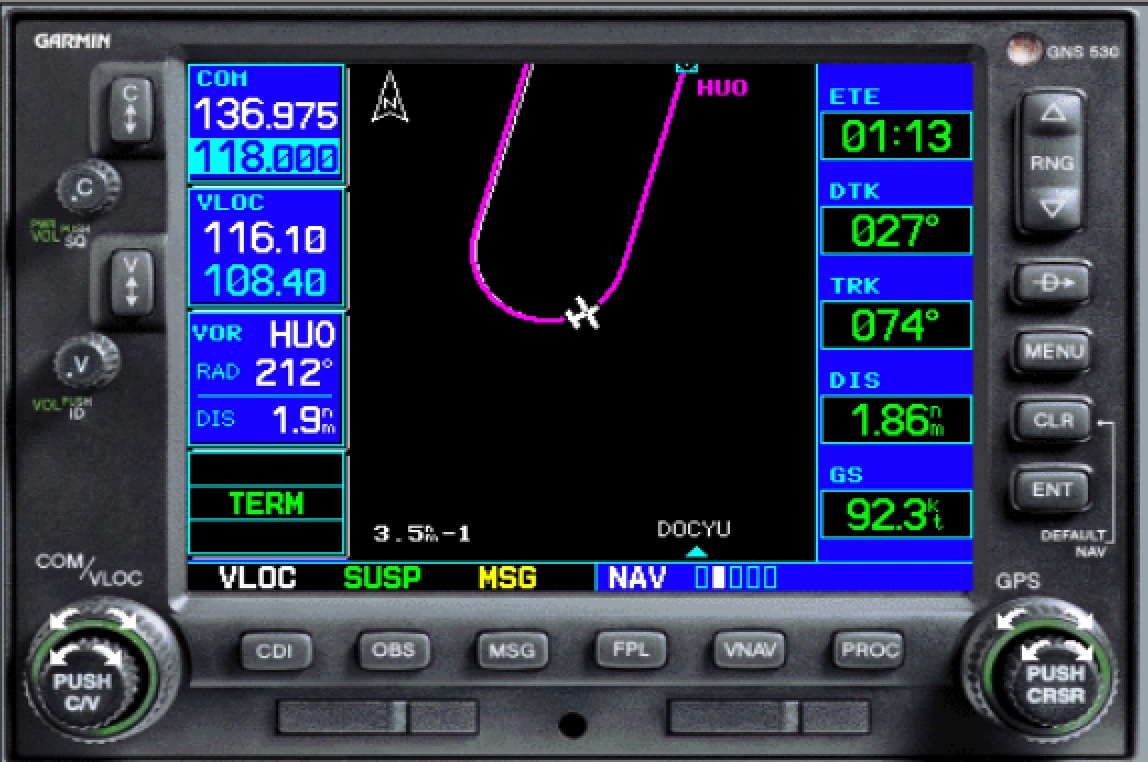
Some pilots don’t like the view offered by NAV page 1, and rather find it convenient to fly holds on NAV page 2, which offers a North-up view of the hold, as in the picture.
You can tell you are on page 2 by the indicator “NAV ▯▮▯▯▯” at the bottom of the screen.
To best use NAV page 2 for flying holds, configure its fields as to display the ETE to the holding fix (top right corner of the picture). This is done with the menu button, followed by “Configure fields…”.
In this view as well, you will not need to explicitly time your inbound leg with a stopwatch, because the ETE indicated at the time you complete turn inbound will give you a measure of your timing inbound.
In the figure above, ETE shows 1:13, but the turn inbound is not completed yet.
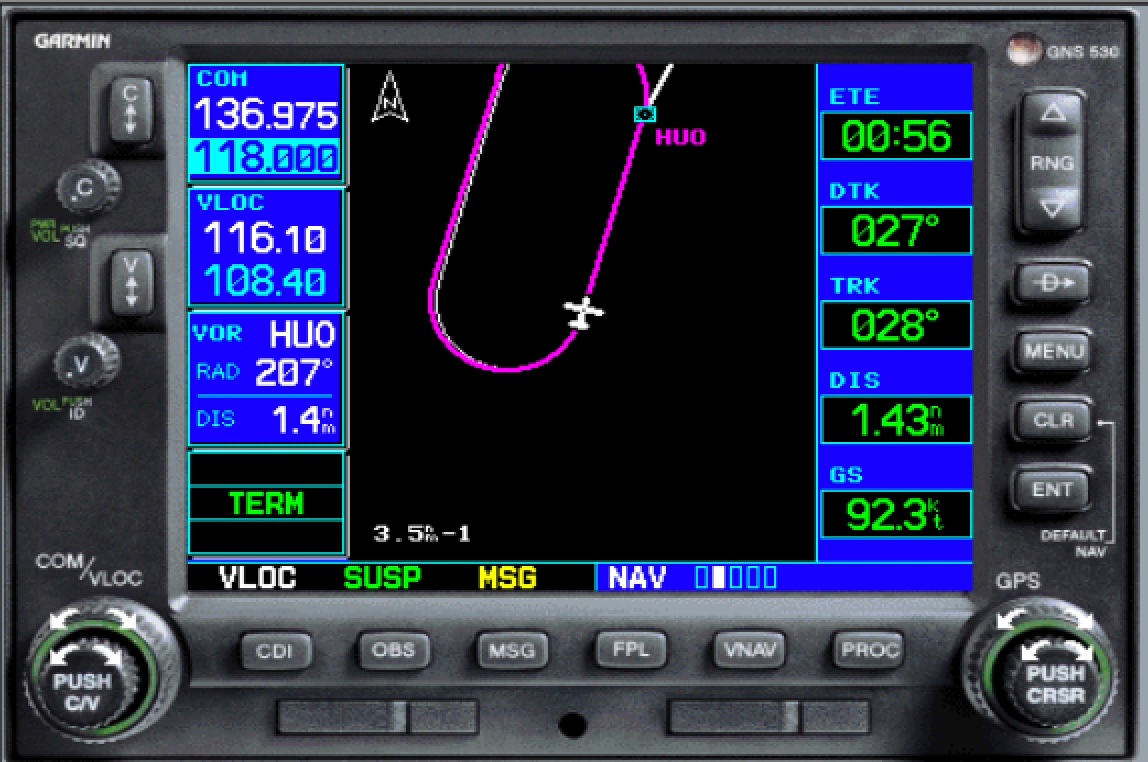
After a few seconds, we complete the turn inbound and we see the view in the figure on the right.
There, ETE indicates now 00:56, suggesting that we should add 4 seconds to the next leg outbound.
On a checkride, if you choose to rely on the ETE offered by the GPS to time your leg inbound and not use a stopwatch, make sure you articulate to the DPE your rationale, e.g., “I’m not timing inbound because at the completion of my turn inbound, because the GPS is already telling me that my ETE is 1:07, so I know that I need to adjust my outbound leg by shortening by 7 seconds”. Make sure your DPE is ok with this technique ahead of time.
Putting it all together
The two animations show the same hold flown in NAV pages 1 and 2, left and right, respectively. Both animations start with the last few seconds of an outbound leg left, followed by a turn inbound, followed by the inbound leg.
Pay attention to the ETE fields as the turn inbound is completed.
The NAV 1 page will offer both a stopwatch and an ETE field, but half of the hold might well be out of the view.
The NAV 2 page offers an ETE field and most of the hold visible at a glance, but no stopwatch field to time the current leg.
Unpublished VOR holds
Certain circumstances sometimes require to fly an unpublished VOR hold without GPS mapping assistance.
A DPEs might require you to fly a VOR hold without allowing for a GPS substitution, i.e., “green needle”.
Even when flying “green needle”, you can use the GPS moving map for assistance and situational awareness, even when flying an unpublished hold.
Optionally, the DPE might request that you fly without moving GPS moving map help.
If using GPS moving map is allowed, do the following to set up inbound course guidance. For example, let’s set up a 1-minute hold, west of the HUO VOR, on the 225 radial, right turn:
- press OBS and select the inbound course (045), as in the figure on the side:
- press direct (–
D→) and select HOU as your destination; activate direct to;
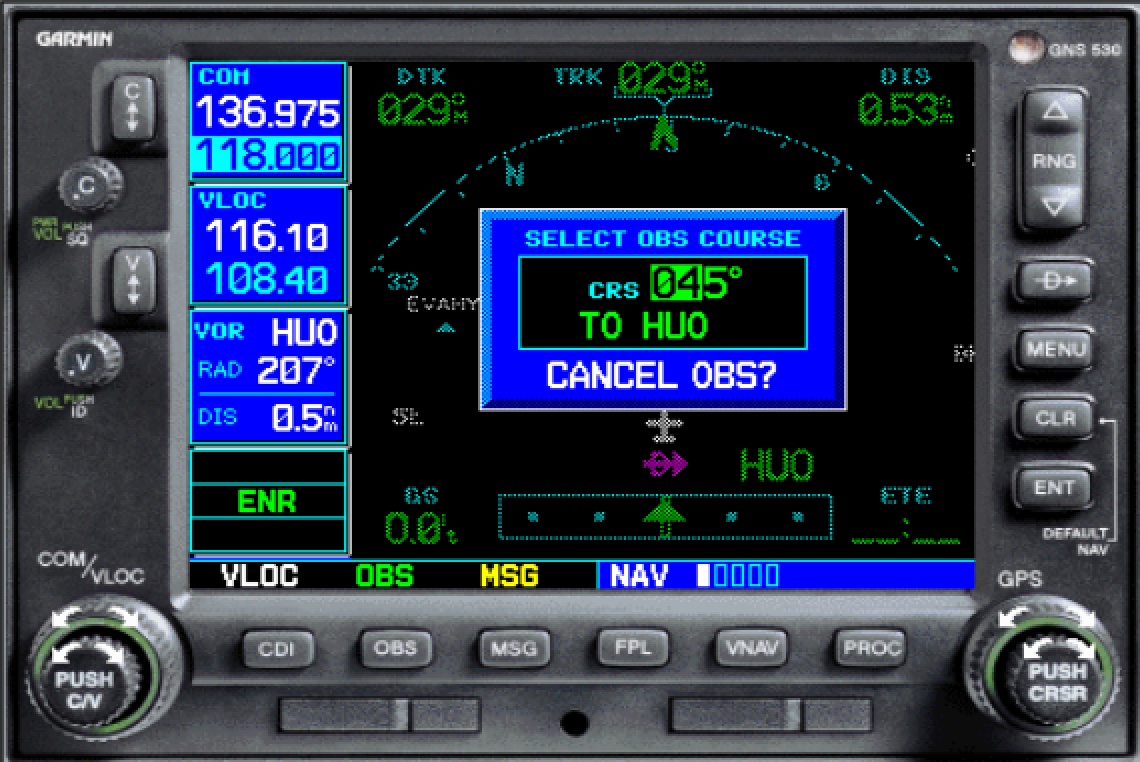
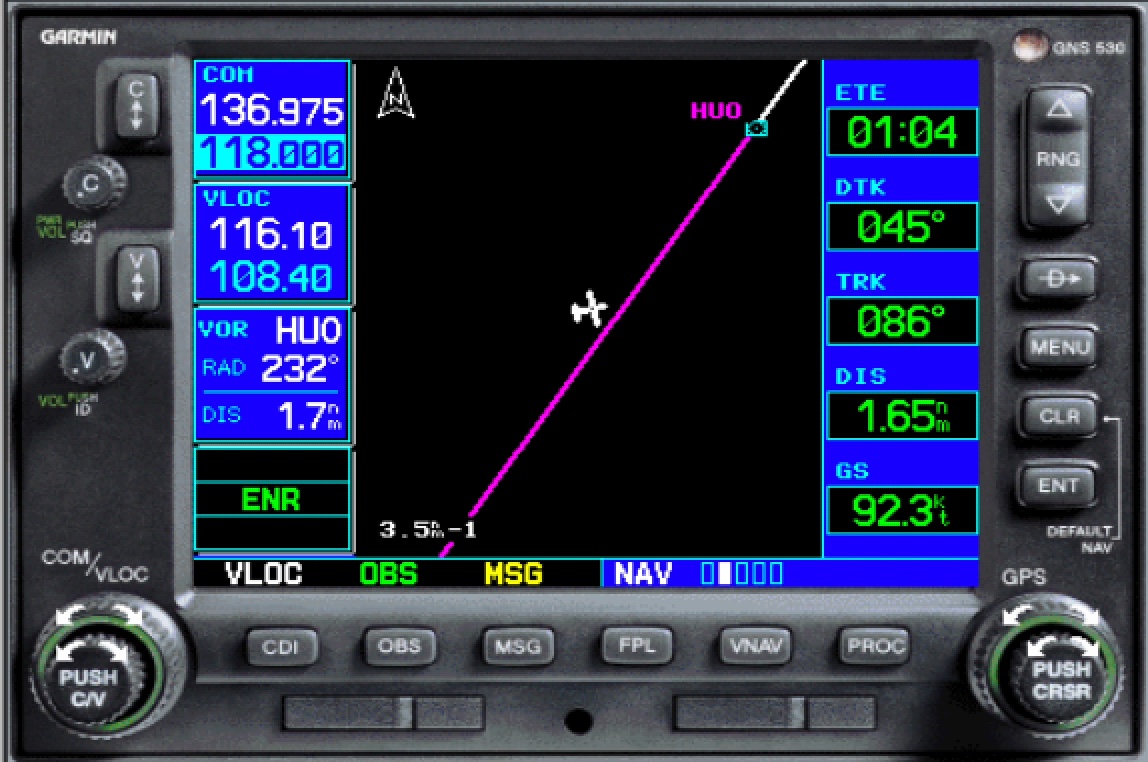
Now use the magenta line leading to the station as guidance to fly your inbound leg, as depicted.
If set up properly, the ETE window will show the remaining time to the station.
Ideally, you should complete the turn inbound with an ETE indication of 01:00.
The figure shows an almost complete turn inbound, with an ETE just above 1 minute.
As we did before, use the ETE during your turn inbound to judge if you are early or late, and therefore adjust the next outbound leg, making it shorter or longer.